
Before you start
Have confirmed product facts, a selling price and images you are entitled to use. Select the right shop before starting.
A recognisable example
DYMR prepares a new overshirt. The owner writes the fit, fabric and care information from the real garment instead of accepting invented details.
Step by step
- Open Products in the catalogue and start a product. Choose the appropriate product type and give it a clear, recognisable name.
- Add the facts a customer needs: what it is, important characteristics, price and stock information. Use variants for actual choices such as size or colour.
- Add relevant images and check the selected main image. Review any prepared text against the real product; correct unsupported claims.
- Save the work, review validation messages and prepare publication when the product is ready. Check the published product in your shop after confirmation.
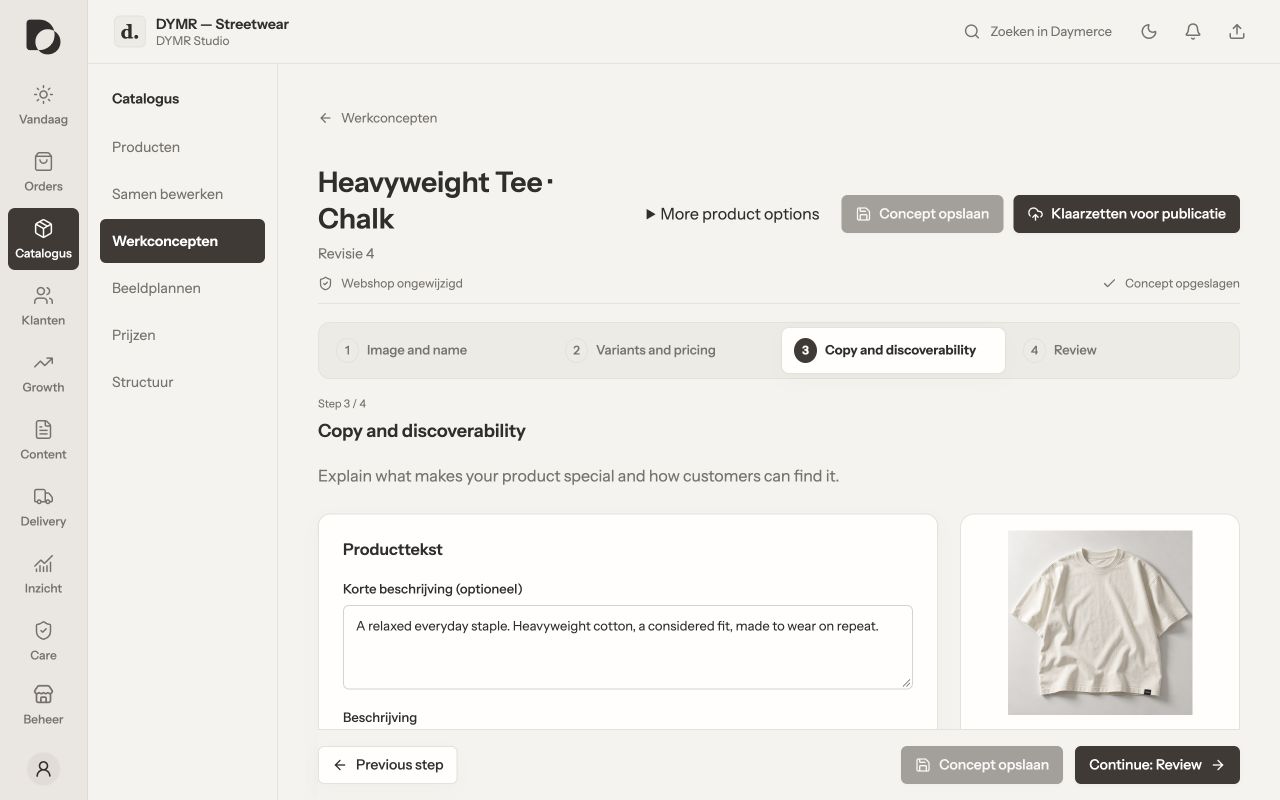
What you should see
You have a coherent product record. A saved draft is useful work, but it is not proof that the product is visible or purchasable on the storefront.
If it does not work
Publication blocked? Open the validation details and fix the named field or missing source connection. Do not create a second product to work around an uncertain first publication.
Menu names and available actions depend on your app language, permissions and connected shop. Screens show the real Daymerce interface with fictional DYMR data; original screen labels are preserved.