
Before you start
Select the right shop and identify the customer from a reliable order or contact detail. Similar names do not prove that two records are the same person.
A recognisable example
Noor asks about her last order. DYMR checks her purchase history and the relevant order rather than asking her to repeat information already available.
Step by step
- Open Customers and find the customer, or open the customer directly from the relevant order.
- Check identity and shop context. Review the available order history, conversations and recorded details relevant to the question.
- Open the actual order or conversation to continue. Use only information needed for this task and correct an inaccurate note through the appropriate record.
- Check communication preferences before a marketing action. A previous purchase alone does not establish newsletter consent.
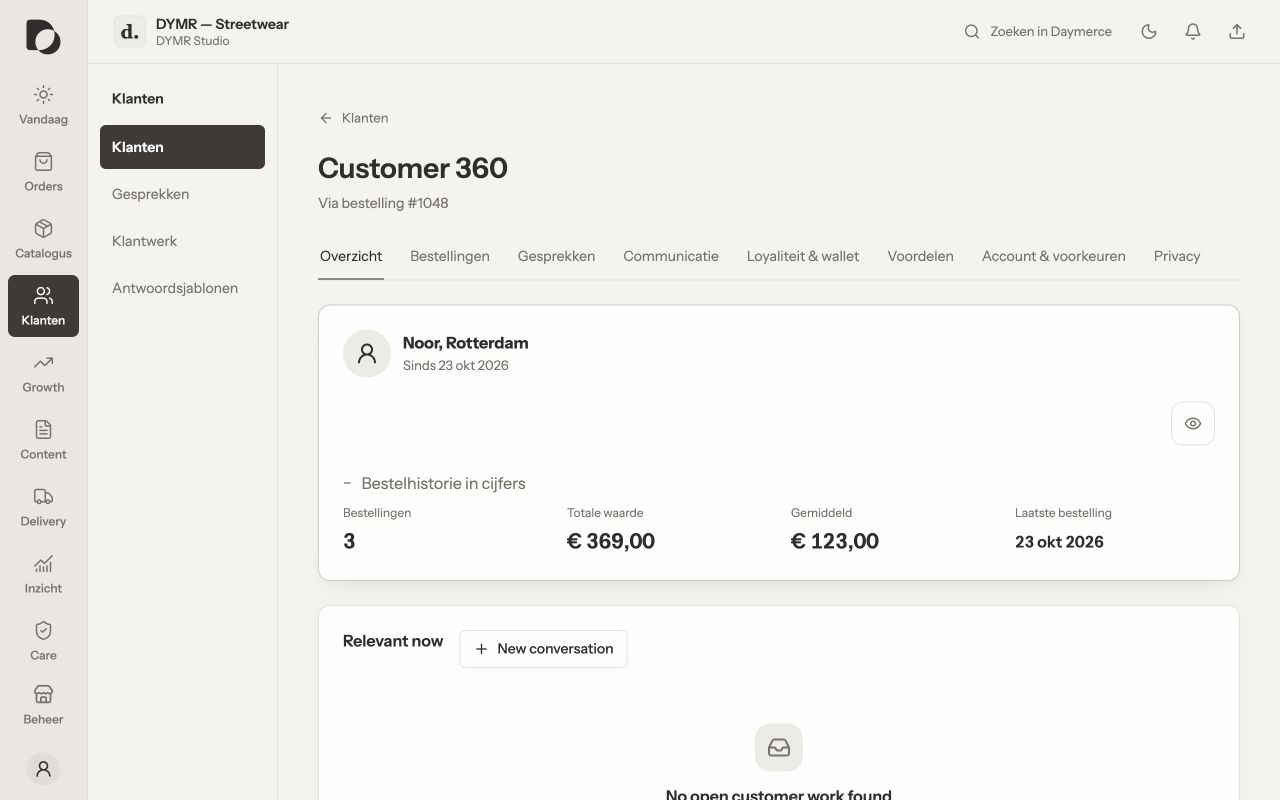
What you should see
You can give a better-informed response without piecing the history together in several places. Only available, authorised and imported information can be shown.
If it does not work
History seems incomplete? Check filters, shop selection and source freshness. Do not merge people or promise an order state from a matching name alone. Refer access and correction requests to the verified privacy workflow.
Menu names and available actions depend on your app language, permissions and connected shop. Screens show the real Daymerce interface with fictional DYMR data; original screen labels are preserved.