
Before you start
Choose the shop and period you mean to assess. Check whether the data is complete and whether the comparison periods are genuinely comparable.
A recognisable example
DYMR sees more orders after an offer. The owner also checks margin, returns and the comparison period before calling the campaign a success.
Step by step
- Open Insights and choose the relevant view: overview, products, campaign impact, customer retention or costs and margin.
- Review the selected period and available explanation of the measurement. Note missing data or a limited evidence base.
- Open the products, customers or campaign behind the result. Compare like with like and distinguish observed sales from a proven effect of one action.
- Choose one concrete follow-up, then review the result again over a suitable period. Keep the original assumptions so the comparison remains meaningful.
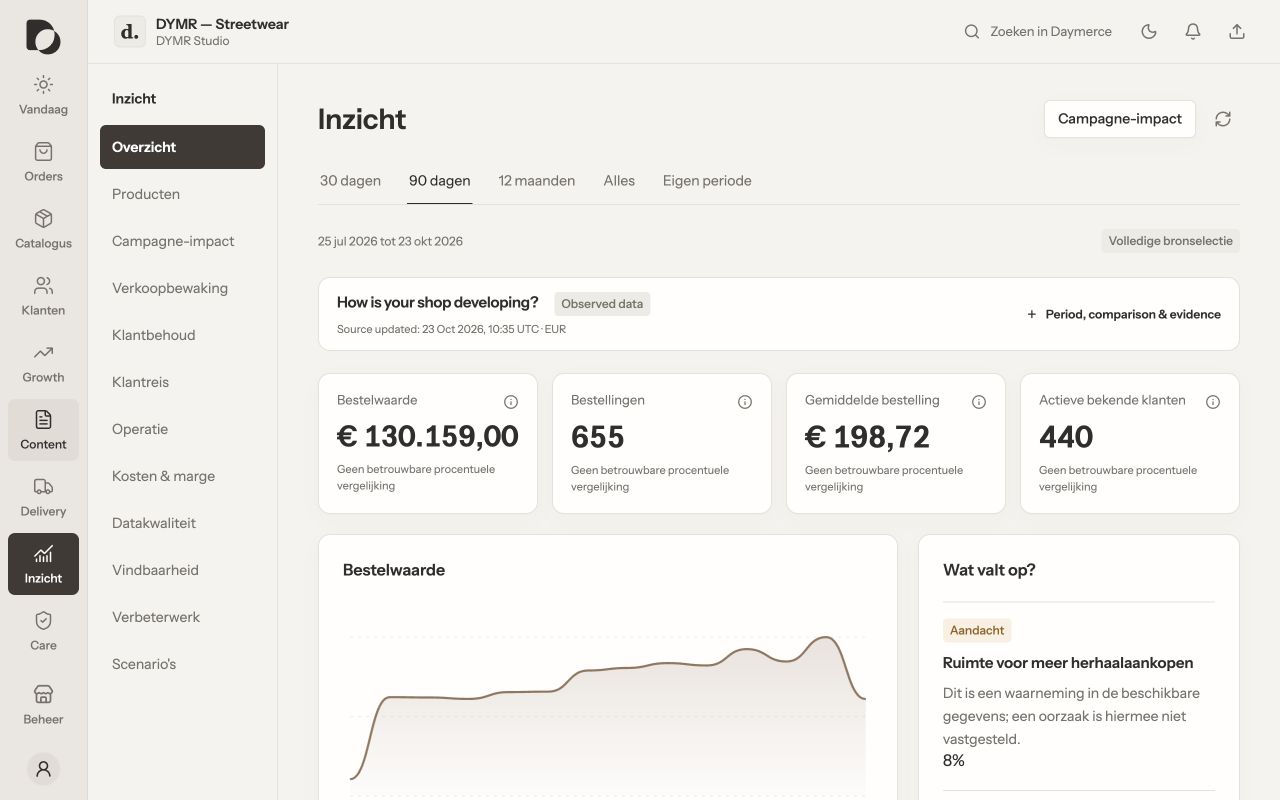
What you should see
You have an informed decision, not just an attractive number. Revenue is not profit, and a change after a campaign does not by itself prove that the campaign caused it.
If it does not work
Numbers differ from another tool? Compare time zones, dates, order states, taxes, refunds and data freshness before treating either total as wrong. Ask for the measurement definition when it is unclear.
Menu names and available actions depend on your app language, permissions and connected shop. Screens show the real Daymerce interface with fictional DYMR data; original screen labels are preserved.